
In Short
After reading this, you will know how to adjust your physical expression so your presence, confidence, and intent land clearly on any video screen.
- Position your camera at eye level and look into the lens, not the screen
- Amplify your facial expressions and gestures so they register through the camera
- Prepare your physical setup before every call, not during it
Virtual body language is the deliberate use of posture, facial expression, gaze, and gesture to communicate clearly through a video screen. Because cameras reduce and flatten natural physical signals, speakers must consciously adapt their physical expression so that meaning and emotion reach the viewer intact.
You turned on your camera, said something important, and watched three faces stare back at you with the blankness of a waiting room. No nod. No lean-in. Nothing. You wondered whether they heard you, agreed with you, or had simply stopped caring. The problem was not your words. It was what your body was doing on their screen.
This happens to capable people every day. Virtual body language is not intuitive. In person, your physical presence fills a room. On a screen, you are a small rectangle, compressed and cropped, competing with notifications, home environments, and the odd echo. Most people default to sitting still and reading from their thoughts, not realising their stillness is being read as disengagement.
The deeper issue is that nobody trained you for this. Nobody sat you down and said: here is how physical expression changes when a camera mediates it. So you kept doing what you always did in person, and wondered why it was not working.
In this guide, you will get a clear, practical process for adjusting your physical expression on screen so it works the way you intend. If you want to see how these ideas fit into a broader meeting context, Best Practices for Virtual Meeting Communication is a good companion read.
Why Screen-Based Physical Expression Is Harder Than It Looks
Knowing that body language matters is not the same as knowing how to control it on a screen. There is a real gap between the two, and it is worth being honest about.
Most people feel unnatural performing for a camera, even when the camera is pointed at colleagues they know and trust. That discomfort is real. Here is where it comes from.
The camera collapses your spatial cues. In person, you use your whole body, your distance from others, and the energy in the room. On screen, you have a rectangle, roughly the size of a paperback book. Distance, stance, and peripheral movement disappear entirely.
Your natural expression is often too subtle for video. A slight smile, a gentle nod, a softening of the eyes: these register clearly in a room. On a compressed video feed with variable connection quality, they vanish. What feels expressive in person often looks flat on screen.
Eye contact works differently and feels wrong at first. Real eye contact on a video call means looking at the lens, not at the person's face on your screen. It is counterintuitive. You stare at a small black circle and it feels absurd, but it is what the other person reads as you looking at them.
Stillness reads as absence, not calm. In a meeting room, a composed and still person can project authority. On screen, that same stillness often looks like disengagement or disconnection, especially to someone watching a small thumbnail.
Your environment competes with you. Lighting, background, and framing all shape how others read your presence before you say a word. A poorly lit face or a cluttered background pulls attention away from your expression.
Latency disrupts natural rhythm. A half-second delay makes responsive nodding and natural back-and-forth harder to time. You hesitate, overcorrect, or accidentally talk over someone, which affects how confident and present you appear.
The goal is not to eliminate these difficulties. It is to build a system that works in spite of them.
"The Conversation You're Avoiding Is the One You Need to Have."
"The Conversation You're Avoiding
Is the One You Need to Have."
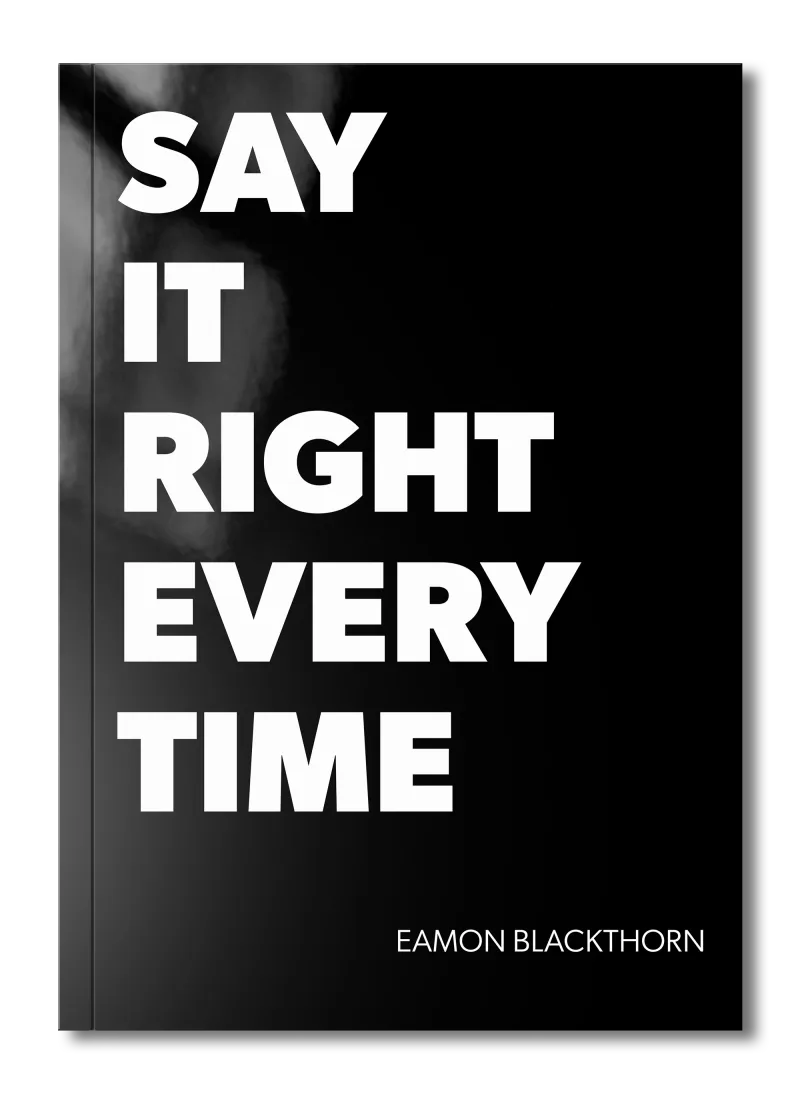
Stop rehearsing conversations you'll never have. Say It Right Every Time gives you 115 word-for-word scripts and 16 proven frameworks to speak with confidence in every conversation that matters.
The Foundation: What You Need Before You Start
Before you begin, there are three things that need to be clear.
Your setup is a communication tool. Your camera, lighting, and background are not neutral. They are part of your physical expression before you open your mouth. A camera below eye level, a backlit window, or a cluttered shelf behind you sends messages you did not intend. Treat your physical setup with the same care you give your words.
Intentionality replaces instinct on screen. In person, much of your physical expression runs on autopilot. On screen, autopilot will betray you. You need to make conscious decisions about where you look, how you sit, and what your face is doing. This is not performance. It is the same as speaking clearly: a deliberate skill you can learn and practice.
Consistency builds trust over time. One well-managed video call will not transform how people read you. Consistent, prepared physical expression across many calls will. The habits you build become the presence others come to rely on and respect.
Get these right first. The steps that follow will not work without them.
Step 1: Set Your Camera at the Right Height and Distance
Your camera angle is the single biggest variable in how others read your virtual body language on screen, and it is the one most people get wrong.
A camera below your eye line makes you appear to look down on your audience. A camera too close becomes a face filling the frame with no neck, no shoulders, and no natural conversational distance. Both undermine trust before you say anything. The correct position is camera at eye level or slightly above, with your face and upper chest visible. This mirrors the natural angle of a conversation across a table.
- Place your laptop on a stack of books or a stand until the lens sits level with your eyes.
- Sit far enough back that your head, neck, and upper chest are all in frame, roughly the framing of a news anchor.
- If you use an external webcam, mount it on top of your monitor or on a small tripod at eye height.
- Test your position by starting a video call with yourself, or by using your platform's preview function before anyone else joins.
- Once your camera is correctly positioned, mark the spot with a small piece of tape so you do not have to reset it each time.
Here is what this looks like in practice. Before a leadership call last year, a colleague sent me a still from her video feed. Her camera was angled up from her laptop on a low desk. She looked as though she was talking down to everyone in the room. She raised the laptop six inches with a ream of paper, re-checked the preview, and the difference was immediate: she looked engaged, present, and at eye level. The content of the call was identical. The physical impression was transformed.
Getting the angle right does not cost money or much time. It costs only the habit of checking before you join.
Step 2: Fix Your Light Source
Lighting shapes the readability of every expression on your face, and poor lighting is one of the fastest ways to undermine your screen presence.
The rule is simple: your primary light source should face you, not come from behind or from the side at a sharp angle. A window behind you turns you into a silhouette. A single overhead light carves shadows across your face that make you look tired or unwell. A soft light source placed in front of you, at roughly eye level, makes your face clear, readable, and present.
- Position yourself facing a window during daylight calls so natural light illuminates your face.
- If natural light is inconsistent, use a small LED ring light or a simple desk lamp placed in front of you and slightly above eye level.
- Avoid sitting with a bright window or lamp directly behind you.
- Test your lighting at the same time of day your calls usually happen, because light changes significantly between morning and afternoon.
- If your face appears in shadow on one side, adjust the light source toward the center until your expression reads evenly.
Good lighting does not require expensive equipment. A desk lamp moved two feet can change everything. The test is simple: if you can read every expression on your own face in the preview window, your audience can too.
Step 3: Use Deliberate Eye Contact Through the Lens
Eye contact on a video call is the most counterintuitive skill in virtual body language, and the most important to master.
When you look at someone's face on your screen, your camera records you looking slightly downward or to the side. To the other person, it looks as though you are avoiding eye contact. True screen eye contact means looking directly into the camera lens when you are speaking. It feels strange at first, like talking to a small black dot. But that is exactly what the other person reads as you looking at them.
- Place a small sticker or arrow next to your camera lens as a visual reminder to look there when you speak.
- Shift your gaze to the screen to read reactions when you are listening; return to the lens when you speak.
- Practice speaking a single paragraph directly to the lens before a call, the same way you would practice in a mirror.
- On longer calls, look at the lens during the most important sentences: the opening, the key request, and the closing.
- If you use notes, place them as close to the camera as possible so your gaze stays near the lens rather than dropping to a desk or second screen.
Here is a short script for practicing this. Before your next call, sit at your setup and say aloud: "I want to be clear about what I need from you today." Say it to the lens. Then say it to the screen. Notice the physical difference in effort. The version directed at the lens feels slightly more vulnerable, more direct. That is exactly the sensation the other person receives as genuine connection. Practice until looking at the lens feels as natural as looking at a face.
Mastering this one shift changes how people read your confidence and directness on every screen-based conversation.
Step 4: Amplify Your Facial Expressions for the Camera
Your natural resting expression loses half its signal strength on a compressed video feed. What reads as attentive presence in a room reads as neutral or distracted on screen.
This does not mean performing or exaggerating beyond what feels true. It means consciously turning up the volume on what you already do naturally. A small nod becomes a clear nod. A slight smile becomes a visible smile. Furrowed brows of concentration become readable. The camera is not cruel; it is just a filter that reduces the subtlety you rely on in person. Your job is to account for that reduction before the call starts.
- Before a call, spend sixty seconds doing simple facial warm-ups: raise your eyebrows, smile fully, nod deliberately, and hold a neutral-but-open expression. This is not vanity; it is preparation.
- When someone makes a point you agree with, nod visibly and let your face show it, rather than keeping the still, polite expression that feels respectful in a meeting room.
- When you need to show concern or engagement, let your brow move. Do not suppress it in an attempt to appear composed.
- At the close of an important point, hold your expression for a full second longer than you naturally would. This gives the camera and the connection time to carry it.
- Check your resting face periodically by glancing at your self-view. If it reads as blank, adjust; you are probably suppressing expression out of self-consciousness.
This step connects directly to the work of reading others, too. For more on how emotional signals shape high-stakes conversations, Emotional Intelligence in Feedback Conversations will take you deeper.
Step 5: Use Gesture Within Your Frame
Gesture is a powerful part of physical expression, and most people either abandon it entirely on video calls or gesture wildly outside the camera frame where no one can see it.
Effective on-screen gesture means keeping your hand movements within the visible area of your frame, typically from your chest to just above your shoulders. Gestures used here reinforce your words, give your audience a sense of energy and conviction, and break the static quality that makes video calls feel flat. Used well, a gesture on screen does what a full-body posture shift does in a room: it signals emphasis, transition, and sincerity.
- Keep your elbows loose and slightly away from your sides so your hands can move naturally within the frame.
- Use an open palm when making an offer or presenting an idea; this reads as openness and trust.
- Use a counting gesture on your fingers when listing points; it helps your audience track your structure.
- Avoid pointing directly at the camera, which reads as aggressive on screen.
- If you are making a particularly important point, bring one hand slightly toward the camera while speaking to create a sense of reaching toward the listener.
Here is the difference this makes in practice. Consider two people giving the same instruction on a video call. The first sits motionless, voice steady but hands invisible under the desk. The second uses a deliberate open-palm gesture as they say, "I need you to have this ready by Thursday." The second person is more likely to be taken seriously, not because they are louder or more forceful, but because their physical expression and their words are working together. The body confirms what the voice is saying.
Gesture earns you attention, emphasis, and credibility on screen when it is used with clear intention.
Step 6: Manage Your Posture and Stillness Deliberately
On screen, how you hold your body communicates as much as what your face does, and it is visible from the first second of a call.
Slouching pulls your face downward and signals low energy. Leaning back creates distance and reads as detachment. Leaning forward slightly, with a straight but not rigid spine, signals engagement and respect. This is not about performing military posture. It is about the physical message your upper body sends in the first three seconds before you speak. In a well-run meeting with a diverse team, those first seconds of physical presence shape how people receive everything that follows. Running Inclusive Meetings with Diverse Teams has more on how presence shapes group dynamics.
- Sit with both feet flat on the floor before you join a call; this naturally straightens your posture without effort.
- Position your chair so your eye level is roughly level with the top third of your screen.
- Place a folded jacket or firm cushion under you if your chair sits too low, rather than craning your neck upward.
- Lean forward slightly from the hip, not from the neck, when you want to signal engagement or ask an important question.
- Reset your posture at natural transition points in a call, when someone else starts speaking or when the agenda shifts, so fatigue does not gradually collapse your frame.
Good posture is not about looking formal. It is about giving your physical expression a stable, readable foundation for the duration of the call.
Step 7: Prepare Your Physical Expression Before Every Call
All of the skills in this guide require one habit to hold them together: a brief, consistent preparation routine before each call begins.
Most people open a video platform, see their own face on screen, think "close enough," and hit join. What they are actually doing is walking into a conversation without warming up, which is the equivalent of starting a presentation mid-sentence. A two-minute preparation routine locks in your camera height, your light, your posture, your expression, and your intention so none of those things become distractions once the call starts. For leaders especially, this preparation signals to others what standard to hold themselves to. How Leaders Can Model Effective Feedback Behavior explores how that standard-setting works in feedback conversations.
- Open your video platform two minutes before the call and check your camera angle using the preview window.
- Adjust your lighting source if the preview shows uneven shadows on your face.
- Sit up, take one slow breath, and set your posture before you join.
- Do a quick facial expression check: raise your brows, nod, and smile to wake up your expression muscles.
- Identify the one moment in the call where your physical expression will matter most, perhaps when you make your key request, and plan for it consciously.
This routine takes less than two minutes. Over time it becomes as automatic as straightening your collar before a meeting. The preparation is what separates people whose virtual body language communicates strength from those who leave every call wondering why they did not land the way they hoped.
Adapting This Process for Asynchronous Video Messages
Asynchronous video, where you record a message for someone to watch later rather than speaking live, requires a specific adjustment to everything covered above.
In a live call, your audience responds, which gives you real-time feedback. In an asynchronous recording, you are speaking to no one in the room, with no social energy to draw on. This makes deliberate physical expression even more important, not less.
Eye contact becomes more critical, not less. Without a live response to orient you, it is easy to let your gaze drift to your notes or your script. But the person watching your recording will notice immediately if your eyes are wandering. Look at the lens for the entire message, especially at the opening and the close.
Hold expressions longer to compensate for editing pauses. When you cut an asynchronous recording, transitions between clips can feel abrupt. Holding your expression for two full seconds at the close of each thought gives the viewer's eye time to settle and read you clearly.
Energy must be self-generated. In a live call, the room gives you something to respond to. In a recording, you must bring the energy from the start. Before you hit record, do your full preparation routine: posture, light, expression warm-up, lens focus. Then begin as though you are speaking to someone you respect and are glad to see.
Keep gestures slightly smaller and slower than you would on a live call. Rapid movement on a recorded video can blur or feel frenetic. Deliberate, contained gesture reads more clearly in playback.
The core process of virtual body language holds in asynchronous work. Only the source of your energy changes: it must come entirely from inside you, not from the room.
Common Mistakes to Avoid
Let me tell you about the mistakes I see most often. I have made most of them myself.
The mistake: Looking at your own face on the screen instead of the lens while speaking.
Why it happens: Your self-view is right there, and it is natural to check it, especially when you are unsure how you appear.
What to do instead: Hide your self-view during calls once you have completed your pre-call setup check. Most platforms allow this. Remove the temptation entirely.
The mistake: Staying perfectly still to appear composed and professional.
Why it happens: In formal settings, stillness signals control. On screen, it signals absence.
What to do instead: Use deliberate nods, visible expression shifts, and contained gestures throughout a call to signal that you are present and engaged.
The mistake: Letting your camera stay at laptop-on-desk level because adjusting it feels like too much effort.
Why it happens: It is easy to underestimate how much angle matters, and change feels unnecessary when calls happen constantly.
What to do instead: Spend five minutes once to fix your camera height permanently. Mark the position with tape. Never adjust it again.
The mistake: Suppressing facial expression in an attempt to look neutral and professional.
Why it happens: People fear looking over-emotional or unprofessional on screen, so they dial back expression entirely.
What to do instead: Practise amplifying expression in private before calls. What feels like "a lot" to you reads as "just right" on the other side of the camera.
The mistake: Gesturing below the camera frame where no one can see it.
Why it happens: You gesture naturally while thinking, and your hands fall to where they always go, below desk level.
What to do instead: Consciously raise your elbows so your hands stay within the visible frame. It takes one or two calls to build this as a habit.
These are not character flaws. They are gaps in the system. Fix the system.
Your Practical Checklist
Use this checklist before you begin and after each cycle.
- Camera is positioned at eye level or slightly above
- My face and upper chest are both visible in the frame
- My primary light source faces me, not the window behind me
- I have checked my framing using the platform preview window
- I have placed a visual marker near my camera lens as an eye contact guide
- My self-view is hidden or minimised so I look at the lens, not my own face
- I have done a brief facial expression warm-up before joining
- My posture is upright, feet flat, and I am leaning slightly forward
- I know where my hands are and can bring them into frame when I gesture
- I have identified the key moment in this call where physical expression matters most
- My background is clear and does not compete with my face for attention
- I have rehearsed looking at the lens for at least thirty seconds before joining
If you cannot check most of these, that is your starting point.
Summary and Next Steps
You now have a real system for adjusting your physical expression on screen, one that covers setup, posture, gaze, expression, and gesture in a sequence you can prepare before every call.
- Camera angle and lighting are not cosmetic; they are the foundation of how others read your virtual body language before you speak.
- Eye contact through the lens is the single most important skill to practice and the most counterintuitive.
- Your natural expression needs amplification on screen; what feels normal in person disappears through a camera.
- Gesture belongs in your frame, not under the desk; when used deliberately, it signals conviction and engagement.
- Stillness reads as absence on video; deliberate movement signals presence.
- A consistent two-minute preparation routine locks in all of these skills before every call.
- Asynchronous video demands more self-generated energy, but the same physical principles apply.
Where you go next depends on the conversations you are facing. If your calls involve difficult topics with your team, How to Start a Difficult Conversation That's Blocking Your Team's Synergy will help you combine physical preparation with conversational strategy. For feedback conversations specifically, How to Give Feedback That Strengthens Team Synergy Instead of Breaking It and How to Match Your Communication Medium to the Stakes of a Team Synergy Conversation will help you choose the right moment and the right medium for what you need to say.
Virtual body language is not a gift some people have and others do not. It is a practice, a set of adjustable habits that get stronger every time you prepare deliberately, show up with intention, and trust that your presence on a screen can carry real weight.
Frequently Asked Questions (FAQ)
What is virtual body language?
Virtual body language is the use of facial expression, posture, gaze, and gesture to communicate meaning and emotion through a video screen. Because cameras compress and flatten physical signals, you need to adjust and amplify your natural expression so it reads clearly to others on a call.
How do you improve virtual body language on video calls?
Improve virtual body language by raising your camera to eye level, looking into the lens when speaking, sitting upright with your upper body fully in frame, and using deliberate facial expressions. Small, conscious adjustments to posture and gaze make a significant difference in how engaged and confident you appear.
Why does virtual body language feel different from face-to-face communication?
Video calls strip away peripheral vision, reduce your field of view, and introduce a slight delay that disrupts natural rhythm. Cameras also flatten depth, which means subtle expressions disappear. You must work harder and more deliberately to convey the physical signals that happen automatically in person.
What are the most important elements of virtual body language?
The most important elements of virtual body language are eye contact through the camera lens, upright and open posture, deliberate facial expression, controlled hand gestures kept within the camera frame, and a stable, well-lit background that does not compete with your presence.
How does camera position affect virtual body language?
Camera position fundamentally shapes how others read your virtual body language. A camera below eye level makes you appear to look down on your audience. A camera at or slightly above eye level creates a natural, confident conversational angle and signals that you are fully present and engaged.
Can virtual body language replace in-person physical expression?
Virtual body language cannot fully replace in-person physical expression, but it can carry most of the essential signals when adjusted for the screen. With deliberate preparation of your environment, posture, gaze, and gesture, you can communicate warmth, authority, and engagement effectively through a camera.