
In Short
After reading this, you will know how to choose and use technology to build genuine team synergy across distributed locations.
- Align your tools to your team's communication needs before you set anything up
- Create shared rhythms that keep every location connected and visible
- Review and adjust your system regularly so it stays effective as your team grows
Team synergy technology is the deliberate use of digital tools and platforms to help distributed teams coordinate, communicate, and produce collective results that exceed what any individual could achieve working alone. It requires both the right tools and the right habits.
Introduction
Picture this. Your team spans three cities. A decision gets made on a Tuesday morning call that half the team never joins. By Thursday, two people are duplicating work. By Friday, someone in a different time zone is asking a question that was already answered two days ago. Nothing dramatic. No argument. Just quiet drift, and a team that slowly stops functioning as one unit.
This is how team synergy breaks down in distributed teams. Not with a crisis, but with small gaps in coordination that compound over time. The problem is rarely bad technology. It is the absence of a clear system for using the tools you already have. People default to whatever feels easiest, and eventually everyone is working from a different page.
In this guide, you will get a clear, practical process for using team synergy technology in a way that actually builds coordination and collective strength across locations. If you want to understand the broader principles behind how distributed teams operate, Remote Team Synergy: Best Practices for Virtual Teams is a strong companion to this guide.
"The Conversation You're Avoiding Is the One You Need to Have."
"The Conversation You're Avoiding
Is the One You Need to Have."
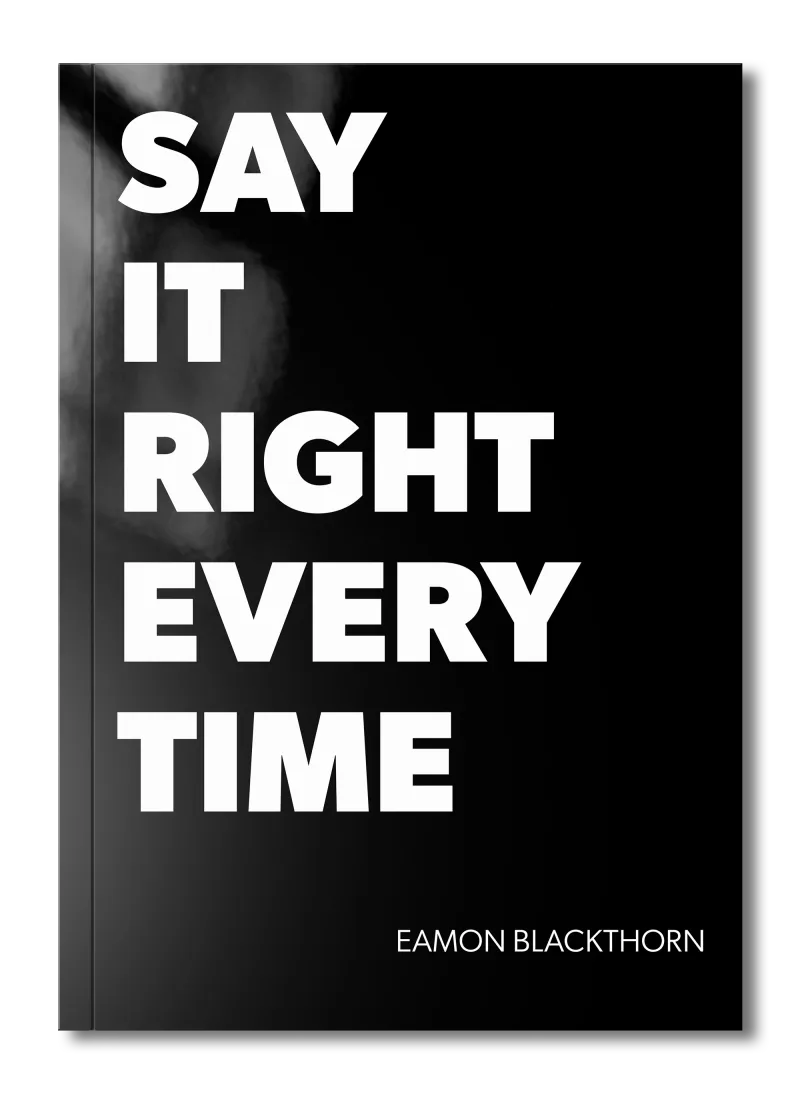
Stop rehearsing conversations you'll never have. Say It Right Every Time gives you 115 word-for-word scripts and 16 proven frameworks to speak with confidence in every conversation that matters.
Why Building Team Synergy Across Locations Is Harder Than It Looks
You know technology should help. You have the tools. But something still does not click. I have seen this more times than I can count, and the difficulty is almost never about the software.
Here is what actually gets in the way:
Distance removes the informal glue. In a shared office, people overhear updates, catch each other in the corridor, and build shared context without trying. Distributed teams lose all of this and rarely replace it with anything deliberate.
Too many tools create noise, not clarity. When a team uses email, a chat platform, a project board, and a shared drive without agreed rules, information scatters. Nobody knows where to look, and people stop trusting that they have the full picture.
Time zones create invisible walls. Even a two-hour difference means some people always feel like they are catching up. When the system does not account for this, resentment builds quietly.
Technology gets adopted unevenly. One person uses the project board religiously. Another checks it once a week. This inconsistency destroys the shared visibility that makes coordination possible.
Nobody owns the system. Tools get set up, but nobody is responsible for maintaining the norms around them. Over time, habits slip, and the system quietly falls apart.
The goal is not to eliminate these difficulties. It is to build a system that works in spite of them.
The Foundation: What You Need Before You Start
Before you begin, there are three things that need to be clear. Skip these, and even the best tools will underdeliver.
A shared understanding of purpose. Before you decide which platforms to use, your team needs to agree on what you are trying to achieve together. Technology should serve your collective goals, not define them. If the team does not have a clear sense of what good collaboration looks like, no tool will create it. Spend time on this first. How Leaders Foster a Culture of Team Synergy covers this ground well if your team is still finding its footing.
Agreed communication norms. Decide, as a group, what each tool is for, how quickly people are expected to respond, and what belongs in which channel. These norms need to be written down and visible to everyone. Without them, people invent their own rules, and the system fractures.
A designated owner for the system. Someone needs to be responsible for keeping the tools and habits alive. This is not a technical role. It is a coordination role. That person checks that the norms are being followed, surfaces what is breaking down, and calls for adjustments when needed.
Get these right first. The steps that follow will not work without them.
Step 1: Audit What Your Team Actually Needs
This step is about understanding your team's real communication patterns before you touch a single tool.
Most teams choose technology by looking at what other companies use, or by defaulting to whatever the IT department recommends. That approach puts the cart before the horse. Your team's specific rhythms, time zones, work styles, and coordination challenges should drive every choice you make.
Start by mapping how your team currently communicates. Where does information live? Where does it get lost? Which conversations need to happen in real time, and which can wait?
- List every communication need your team has: updates, decisions, file sharing, urgent messages, social connection.
- Identify where each of those needs is currently being met, and where it is falling through the cracks.
- Note which time zones your team spans and how much overlap you have in working hours.
- Ask each team member where they feel most out of the loop, and why.
Here is a real example. A team I worked with had a chat platform, email, and a project board, but all three were used interchangeably. Urgent questions sat unanswered in the project board. Decisions were buried in email chains. After a simple audit, they realised they needed one channel for urgent messages, one for project tracking, and a weekly video call for decisions. Nothing changed except the rules for each tool. Coordination improved within two weeks.
Once you know what your team actually needs, you can match tools to needs with confidence.
Step 2: Choose a Minimal, Purposeful Tool Stack
Fewer tools, used consistently, will always outperform many tools used haphazardly.
The temptation is to add a new platform every time a problem surfaces. Within six months, the team is juggling five tools and nobody is sure which one matters. Resist this. Your goal is a small, purposeful stack where every tool has a single, clear job.
- Assign one tool for real-time, urgent communication (a messaging platform with clear response norms).
- Assign one tool for project tracking and task visibility (a shared board where all work is visible to the whole team).
- Assign one tool for longer-form, asynchronous communication (a shared document space or structured update thread).
- Assign one tool for face-to-face connection (a video platform with a regular, non-negotiable weekly call).
- Write a one-line description of what each tool is for, and share it with the team in a place they can always find it.
Once your stack is minimal and each tool has a purpose, the team can build consistent habits around it. Shared visibility into work is the foundation of coordination, and coordination is the foundation of genuine team synergy technology in practice.
Step 3: Set Up Shared Visibility Into All Active Work
This step is the one that most teams skip, and it is the one that matters most.
When people cannot see what their colleagues are working on, they make assumptions, duplicate effort, and miss dependencies. Shared visibility does not mean surveillance. It means everyone knows the current state of the team's work without having to ask.
A shared project board, updated consistently, is the simplest way to achieve this. Every active piece of work should have an owner, a status, and a due date visible to everyone. That is all you need to start.
- Create a board with clear columns: to do, in progress, blocked, complete.
- Give every task an owner. No task should sit unassigned.
- Set a team norm that the board is updated at the start and end of each working day.
- Make it a rule that if something is blocked, it is flagged on the board, not carried silently.
- Review the board together at the start of your weekly video call, not separately.
Here is how this plays out in practice. Imagine a team member in a different time zone completes a piece of work while everyone else is offline. Without a shared board, her colleagues arrive the next morning and start working on the same task. With a shared board and a clear "complete" column, they see it immediately. No duplicated effort. No frustration. The team moves forward together, even though they were never in the same room.
Shared visibility is what allows team members to trust each other's progress without constant check-ins. That trust is the heartbeat of real collaboration across locations.
Step 4: Establish a Communication Rhythm Everyone Can Rely On
Technology without rhythm is just noise. Your team needs predictable patterns of communication that everyone can plan around.
A communication rhythm means your team knows exactly when certain conversations happen, where they happen, and what they cover. It removes the guesswork and the anxiety of wondering whether you are missing something important. This is especially critical for teams dealing with leadership change; if your team is navigating that, How to Sustain Team Synergy During Leadership Transitions and Restructuring is worth reading alongside this guide.
- Schedule one weekly video call, the same time every week, with a consistent agenda: progress, blockers, decisions needed.
- Set a daily async update norm: each team member posts a two-sentence update in the shared channel before they finish work.
- Establish response time expectations for each tool: urgent messages within two hours, project board comments within 24 hours.
- Create a shared calendar showing each person's core working hours so everyone knows when colleagues are available.
A reliable rhythm replaces the informal coordination that happens naturally in shared offices. When people know when the next touchpoint is, they can work independently with confidence and bring their best thinking to the group at the right moment.
Step 5: Build In Deliberate Connection Points
Here is the truth of it: teams do not just need coordination. They need connection. And connection does not happen by accident in distributed teams.
Without shared offices, people lose the casual moments that build trust and familiarity. Over time, team members who never interact beyond task updates start to feel like strangers. Productivity suffers when psychological safety erodes, and psychological safety erodes when people do not feel known by their colleagues. The Role of Emotional Intelligence in Team Synergy explores why this matters in depth.
- Reserve the first five minutes of your weekly video call for non-work conversation. Protect this time fiercely.
- Create a dedicated channel in your messaging platform for informal sharing: photos, recommendations, wins, and things that made people laugh.
- Rotate a "team spotlight" each week where one person shares something about their current work or a challenge they solved.
- Use video for any conversation that involves disagreement, ambiguity, or sensitive topics. Text strips out tone and creates misreading.
A script for opening a connection-focused call: "Before we get into the agenda, I want to hear one thing from each of you: what is one thing outside of work that has your attention this week?" This takes four minutes. It changes the entire tone of what follows. People who feel seen as human beings collaborate with more generosity and less defensiveness.
Connection is not a soft add-on to real work. It is the soil that real collaboration grows from. Build it into your system, and watch the quality of your team's collective output rise. This is especially true when you look at What Is Psychological Safety and How It Drives Team Synergy as a foundation for why this works.
Step 6: Review and Refine the System Regularly
No communication system survives first contact with real work unchanged. You need to build in regular moments to ask: what is working, what is not, and what needs to change?
Most teams set up their tools once and never revisit the norms. Then habits drift, new team members join without being properly onboarded into the system, and slowly the whole structure degrades. A quarterly review, even a short one, prevents this.
- Schedule a 30-minute system review every quarter with the whole team.
- Ask three questions: Which tool or habit is helping us most? Which is causing friction? What is one change we could make right now?
- Update your written communication norms after every review so they stay current.
- Onboard every new team member with a written guide to your tools and norms, not a verbal briefing.
When the system is reviewed openly, people feel ownership over it. They stop treating it as something imposed on them and start treating it as something they built together. That shift in ownership is what sustains team synergy technology habits over the long term. For teams working across complex organizational structures, Advanced Communication Strategies for Sustaining Team Synergy in Complex Organizations offers the next level of thinking on this.
Adapting This Process for Large, Multi-Team Organizations
When your distributed team is one of many across a large organization, the stakes around consistency rise sharply. What works for a six-person team does not automatically scale to sixty.
Standardize the core, customize the edges. The organization's core tools should be consistent across all teams: the same project management platform, the same video conferencing system. Within that framework, individual teams can set their own norms for how they use those tools. This gives everyone shared infrastructure without stripping teams of the autonomy they need to work well.
Create cross-team visibility without overwhelming anyone. In large organizations, teams often operate in silos because nobody has designed a way for them to see each other's work. A simple monthly summary board, visible to all teams, can break this down. It does not need to be comprehensive. It needs to show enough that teams can spot overlaps and opportunities. Cross-Functional Team Synergy Examples From Leading Organizations gives you a concrete picture of what this looks like at scale.
Invest in system onboarding at the organizational level. When people join a large organization, they often inherit a tangle of tools with no clear map. A shared onboarding guide to your communication ecosystem, updated regularly, saves enormous amounts of lost time and misalignment.
Appoint a communication coordinator per team. In large organizations, one central system owner is not enough. Each team needs someone who champions the norms locally, flags what is breaking down, and brings issues to the broader system review. This does not need to be a formal title. It just needs to be someone who cares.
The core process holds across any size of organization. Only the execution changes.
Common Mistakes to Avoid
Let me tell you about the mistakes I see most often. I have made most of them myself.
The mistake: Choosing tools based on popularity rather than team need.
Why it happens: It feels safer to use what everyone else is using.
What to do instead: Run your audit first. Choose tools that match your team's actual communication patterns, not the industry's current favourite.
The mistake: Setting up the system and never revisiting it.
Why it happens: Setup feels like completion. People move on.
What to do instead: Build a quarterly review into the calendar from day one. Treat the system as a living thing, not a one-time project.
The mistake: Using too many tools for overlapping purposes.
Why it happens: New tools get added when old ones seem to be failing, instead of fixing the habits around the old ones.
What to do instead: Before adding any new tool, ask whether the problem is the tool or the norms around it. Usually, it is the norms.
The mistake: Treating connection time as optional.
Why it happens: It does not feel like "real work," and when time is short, it is the first thing cut.
What to do instead: Protect connection rituals as you would protect any core meeting. They are the foundation of the trust that makes everything else function.
The mistake: Leaving communication norms unwritten.
Why it happens: Verbal agreement feels sufficient in the moment.
What to do instead: Write the norms down, put them somewhere visible, and revisit them every quarter. What is unwritten gets forgotten, then ignored.
These are not character flaws. They are gaps in the system. Fix the system.
Your Practical Checklist
Use this checklist before you begin and after each review cycle.
- You have completed an audit of your team's real communication needs and gaps.
- Every tool in your stack has a single, clearly defined purpose.
- Your communication norms are written down and visible to the whole team.
- A team member owns responsibility for maintaining the system.
- A shared project board is active, with every task assigned and updated daily.
- Response time expectations are agreed and known by every team member.
- A weekly video call is scheduled and runs on a consistent agenda.
- A daily async update norm is in place and being followed.
- Deliberate connection time is built into at least one regular meeting.
- Every new team member receives a written guide to your tools and norms.
- A quarterly system review is scheduled and recurring on the team calendar.
If you cannot check most of these, that is your starting point.
Summary and Next Steps
You now have a working system for using technology to build team synergy across locations. You can move from scattered tools and guesswork to a clear structure that keeps every member of your team connected, visible, and coordinated.
- Start with an audit of what your team actually needs before you choose a single tool.
- Keep your tool stack small; fewer tools used consistently will always outperform many tools used inconsistently.
- Shared visibility into active work is the most direct path to genuine coordination across locations.
- Build a communication rhythm everyone can plan around, and protect it as you would any critical meeting.
- Connection is not optional; it is the ground that trust and high performance grow from.
- Review your system quarterly, keep your norms updated, and onboard every new person properly.
- The technology is only as strong as the habits your team builds around it.
If your team is still working out the foundational principles that make any of this stick, start with Remote Team Synergy: Best Practices for Virtual Teams. If you want to understand the deeper human dynamics at play across distributed teams, The Role of Emotional Intelligence in Team Synergy is where I would send you next. And if your organization is working across multiple functions and departments, Cross-Functional Team Synergy Examples From Leading Organizations will show you what excellence in team synergy technology looks like in practice.
Technology does not create team synergy. People do. But the right system gives them every chance to succeed together.
Frequently Asked Questions (FAQ)
What is team synergy technology?
Team synergy technology refers to the digital tools and platforms that help distributed teams coordinate, communicate, and produce collective results that exceed what any individual could achieve alone. It includes messaging platforms, project management tools, video conferencing, and shared document systems used with deliberate communication habits.
How does technology support team synergy across locations?
Technology supports team synergy by giving distributed team members shared visibility into work, consistent channels for real-time and asynchronous communication, and structured spaces for collaboration. Without these systems in place, distance erodes coordination and trust between team members over time.
What tools are best for building team synergy in remote teams?
The most effective tools for team synergy combine real-time messaging, video conferencing, shared project tracking, and collaborative document editing. The specific platform matters less than how consistently the team uses it and whether the communication norms around it are clearly agreed upon by everyone.
Why does team synergy break down in distributed teams?
Team synergy breaks down in distributed teams when communication becomes inconsistent, visibility into each other's work disappears, and informal connection points are lost. Technology can rebuild these conditions, but only when teams agree on how and when to use their tools, rather than leaving it to chance.
How do you maintain team synergy technology habits long term?
Maintaining team synergy technology habits requires regular reviews of what is working, clear ownership of each tool, and a shared commitment to the agreed communication rhythms. When one person stops using the system, others follow. Consistency from every team member is what sustains collective performance over time.
Can technology replace face-to-face communication for team synergy?
Technology cannot fully replace face-to-face communication for team synergy, but it can come close when used with intention. Regular video calls, asynchronous check-ins, and shared visibility into work recreate much of what in-person teams have naturally. The gap closes with deliberate effort, not better software alone.