
In Short
After reading this, you will know how to use your body deliberately and effectively on video calls so your message lands with the same force it would in person.
- Position your camera and body to create natural eye contact and open posture before every call.
- Use controlled gestures and facial expressions to signal confidence and engagement through the screen.
- Build a consistent pre-call routine so strong physical expression becomes automatic, not effortful.
Physical expression tips are practical techniques for using posture, gesture, facial cues, and eye contact intentionally on video calls. They help remote workers convey confidence, warmth, and clarity through a camera, compensating for the body language that screens naturally flatten or erase.
You have been on a call where everything felt off. You spoke clearly. Your points were solid. But something in the room did not land. Later, a colleague told you that you seemed distracted, or worse, disengaged. You were not. But your physical expression on camera told a different story.
This is one of the most common and costly problems for remote workers today. The camera does not lie, but it does flatten. It strips out peripheral movement, reduces your three-dimensional presence to a small rectangle, and compresses your natural expressiveness into something that reads as flat or guarded without you realising it. Physical expression tips are not about performance. They are about bridging the gap between how you feel and how you actually appear on screen.
Most people know body language matters. They struggle anyway, not because they lack awareness but because they have never been given a concrete system designed specifically for the camera. In this guide, you will get a clear, practical process for physical expression that you can use immediately. If you want to understand how this fits into the broader picture of your remote communication, Best Practices for Virtual Meeting Communication is a strong place to begin.
Why Physical Expression on Camera Is Harder Than It Looks
Knowing that your body language matters and actually controlling it on a live video call are two very different things. Most people find the gap between those two wider than they expected.
Here is why it is genuinely difficult:
The screen removes your natural feedback loop. In a room, you adjust instinctively based on what you see and feel around you. On camera, that feedback is delayed, compressed, or missing entirely, so your body stops self-correcting.
The frame cuts you off at the chest or shoulders. More than half of your natural body language lives below the camera frame. What remains on screen is a fraction of what you would normally express, and it rarely feels like enough.
Sustained eye contact with a camera lens is unnatural. We are wired to look at faces, not glass circles. Holding your gaze on the lens, especially during long meetings, takes deliberate and tiring effort.
Self-view creates performance anxiety. Watching yourself on screen while trying to speak authentically splits your attention. Many people unconsciously freeze or over-correct, becoming either a statue or a caricature of themselves.
Still environments kill expressiveness. When your body is not moving through space, the micro-movements that signal engagement, such as leaning in, turning slightly, shifting your weight, disappear. You go still in a way that reads as flat or cold.
Nobody trained you for this format. Every communication skill you built over a lifetime was developed in physical rooms. The camera is a different medium with different rules, and most people are improvising.
The goal is not to eliminate these difficulties. It is to build a system that works in spite of them.
"The Conversation You're Avoiding Is the One You Need to Have."
"The Conversation You're Avoiding
Is the One You Need to Have."
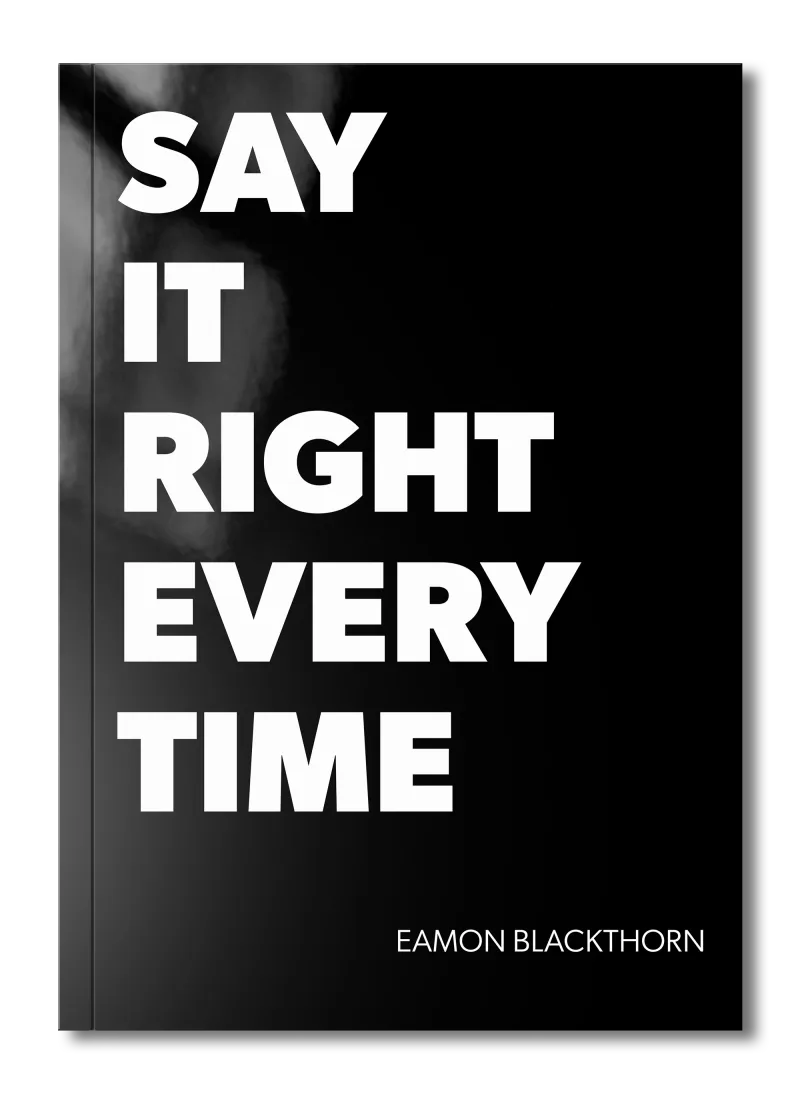
Stop rehearsing conversations you'll never have. Say It Right Every Time gives you 115 word-for-word scripts and 16 proven frameworks to speak with confidence in every conversation that matters.
The Foundation: What You Need Before You Start
Before you begin, there are three things that need to be clear. Without these, the steps ahead will produce inconsistent results.
A fixed, deliberate camera position. Your camera must sit at eye level, roughly an arm's length from your face. If it sits below you, you look down on the people you are trying to connect with. If it is too far away, your expressions disappear entirely. Prop your laptop on books, invest in a stand, or mount an external webcam at the right height. This single adjustment changes everything about how you read on screen.
A clean, stable background and good light. Physical expression requires contrast. If your background is cluttered or your face is in shadow, your gestures and expressions are invisible. Place a light source in front of you, not behind. Natural window light works well; a simple ring light works even better. Your audience needs to see your face clearly to read any of your physical communication.
A pre-call intention. Before each meeting, decide what one quality you want to project. Confidence. Warmth. Focus. Decisive leadership. That single intention will shape how you hold your body, how you use your hands, and how you engage your face throughout the call. Without it, you drift into default mode, which is usually stiff and unexpressive.
Get these right first. The steps that follow will not work without them.
Step 1: Set Your Posture as a Deliberate Signal
Your posture is the first thing people read, and they read it before you have spoken a single word.
Posture on camera is not about sitting up straight for its own sake. It is about the signal your body sends the moment your video flicks on. A collapsed, forward-hunched posture reads as disengaged or uncertain. An open, upright posture reads as prepared and present. You choose which story you tell before you open your mouth.
Sit toward the front edge of your chair rather than back into it. This naturally straightens your spine and brings a subtle lean-forward quality to your presence. Keep your shoulders down and back, not pulled up toward your ears. Rest your forearms on the desk rather than crossing your arms, which creates a visual barrier on screen.
- Sit at the front half of your chair and plant both feet flat on the floor.
- Drop your shoulders consciously before every call by rolling them back once.
- Position yourself so your eyes sit in the upper third of the frame, not the middle.
- Keep your chin level, neither dropped down nor lifted so high that you appear to look over people.
- Check your posture at the 10-minute mark of any meeting; it is when most people begin to drift.
Here is what this looks like in practice. Before a team meeting, Marcus, a project lead I worked with, set a phone reminder that said simply: "Shoulders back, chin level." He pulled up his camera preview for 30 seconds, adjusted his position, and then joined the call. Within two weeks, his team told him he seemed more confident and engaged. Nothing had changed in his words. Only his posture.
When your posture is locked in, your expressiveness has a stable platform to work from. That is when your gestures and facial cues begin to carry real weight.
Step 2: Train Your Gaze to Land on the Lens
Eye contact on video does not work the way most people think it does, and getting this wrong quietly erodes trust in every call you have.
When you look at the faces on your screen, your eyes appear to be looking slightly downward or to the side to everyone watching you. It is a simple geometry problem. The camera is at the top of your screen, the faces are lower. The gap feels small, but the effect is significant. To the people on the other end, you seem distracted or evasive, even when you are listening intently.
The skill here is learning to look at the lens when you speak, and at the screen when you listen. It is a rhythm, not a rigid rule. Practice it until it feels natural.
- Place a small sticker or printed arrow just below your camera lens to draw your eyes upward during key moments.
- When making your most important point, shift your gaze deliberately to the lens and hold it for two to three sentences.
- When listening, scan faces on the screen to read reactions and signal that you are paying attention.
- Avoid the habit of reading from notes with your eyes down; if you need notes, position them directly below the camera.
- In one-on-one calls, look at the lens for at least 70 percent of the time you are speaking.
This small shift in gaze direction does something significant. It creates the sensation of genuine eye contact for everyone watching you. And in a world where remote workers often feel invisible, that sensation is worth a great deal. For more on how your choice of medium shapes the connection you build, [How to Match Your Communication Medium to the Stakes of a Team Synergy Conversation](/articles/workplace-communication/team-synergy/how-to-match-your-communication-medium-to-the-stakes-of-a-team-synergy conversation) explores the broader question well.
Step 3: Use Gestures That the Camera Can See
In a room, your hands speak across your whole body. On camera, they need to live in a very specific box, and most people either abandon them entirely or use them in ways that go unseen.
The usable gesture zone on a standard video call runs roughly from your collarbone to the bottom of your visible frame, and shoulder-width on either side. Anything outside that zone is invisible. Anything inside it becomes part of your message.
Deliberate gestures within this zone do three things. They hold your audience's attention. They give physical form to abstract ideas. And they signal the energy and conviction behind your words. Hands that disappear below the desk, or stay locked at your sides, leave your words to carry everything alone.
- Before your call, identify the two or three most important points you want to land, and plan a simple gesture for each.
- Use an open palm facing upward when offering an idea or option.
- Use a slow, firm downward movement when stating something definitive.
- When counting points, use your fingers visibly so listeners can track the structure of what you are saying.
- If you notice your hands have disappeared from frame, bring them up to desk level and rest them where the camera can see them.
A practical example: one of my clients, a senior manager named Priya, had the habit of pressing her palms together under the desk when she was nervous. Her team read her stillness as indifference. I asked her to keep one hand visible at all times, resting open on the desk. The next week, a colleague told her she seemed more "there" in meetings. Nothing else had changed.
Gestures are not decorative. They are part of your message. Use them where the camera can see them.
Step 4: Make Your Facial Expressions Do Their Full Work
The camera compresses everything about your face. The natural, subtle expressiveness you rely on in person, the small nod, the slight raise of an eyebrow, the warmth around the eyes, becomes invisible at screen size unless you consciously amplify it.
This is not about overacting. It is about calibrating your expressiveness to a medium that mutes it. Think of it as speaking more loudly in a large room, not because you are performing but because the space demands it.
The most important facial signals on a video call are: the nod, the smile, the furrowed brow of concentration, and the neutral but engaged expression that tells people you are present. Most people let their face go blank when they are thinking or listening. On camera, blank reads as absent.
- Nod slowly and deliberately when someone makes a key point; one or two clear nods carry far more than a rapid series of small ones.
- Allow a natural smile when appropriate; do not suppress warmth in the name of professionalism.
- When concentrating hard, let a slight furrowing of your brow show rather than smoothing your face to blankness.
- Practice in a mirror or recorded video to understand your default resting expression on camera; many people are surprised by what they find.
- Check in with your face at transition points in a meeting, when someone else starts speaking or when the topic changes.
The skill of facial expression on camera is closely tied to emotional intelligence in live communication. If you want to deepen this, Emotional Intelligence in Feedback Conversations covers the emotional layer behind what your face reveals.
Step 5: Control Your Movement to Signal Intention
Movement on a video call is a double-edged tool. The right movement signals energy and engagement. The wrong movement, constant shifting, fiddling, or swaying, reads as restlessness and chips away at your credibility call by call.
The principle here is intentional movement. Every shift of your body, every lean, every adjustment of your position should carry a reason. When you lean slightly toward the camera, you signal that something matters to you. When you sit back briefly, you invite others to speak. These are not tricks. They are the same physical signals you use in a room, made conscious and deliberate for the screen.
Stillness is also a form of movement management. Practising stillness in moments of high importance, when you are making a key decision or delivering a difficult message, communicates control and confidence in a way that no amount of words can.
- When you want to emphasise a point, lean your upper body fractionally toward the camera for the duration of that sentence, then return to neutral.
- When inviting input from others, sit back slightly and open your hands on the desk.
- Eliminate habitual movements: chair swivelling, pen tapping, or rocking side to side.
- If you feel the urge to move due to nerves, redirect that energy into a deliberate gesture rather than a general fidget.
- Record one of your calls and watch it on mute; note every movement and ask whether it added to or distracted from your message.
Here is a script you can use internally before a high-stakes call: "I will lean in when I share the main proposal. I will sit back when I open the floor. I will go still and look at the lens when I state the decision." Three intentions. Thirty seconds of preparation. A completely different physical presence on screen.
Step 6: Build a Pre-Call Physical Routine
One of the most underused physical expression tips is what you do in the two minutes before a call begins. Your body carries whatever state it was in before you joined. If you were hunched over email, rushing between tasks, or sitting in tense silence, that state arrives on screen with you.
A short, physical routine before each call resets your body and your baseline expressiveness. It does not need to be elaborate. It needs to be consistent.
Think of it the way a musician warms up before performing. Not because the first note will be wrong without it, but because the whole performance is steadier when the body has been prepared.
- Stand up and take three slow, full breaths before opening your video software.
- Roll your shoulders back twice and shake out your hands briefly to release tension in your fingers and forearms.
- Speak a few sentences out loud before joining, anything, to warm your voice and reconnect your body to the act of communicating.
- Open your camera preview and spend 20 seconds checking your framing, your light, and your posture before you hit join.
- State your pre-call intention out loud: "I am going to be clear, calm, and direct in this meeting."
When this routine is consistent, it becomes a trigger. Your body learns to associate it with being switched on and present. Within a few weeks, you will notice that you arrive on calls with more natural energy and less of the flat, tired quality that undermines physical expression on video. For teams working across locations, consistent individual presence has a collective effect, as explored in Remote Team Synergy: Best Practices for Virtual Teams.
Adapting This Process for High-Stakes or Large-Group Video Calls
A one-on-one call and a twelve-person all-hands meeting are different environments. Your physical expression needs to adapt accordingly, though the core principles stay the same.
Scale up your expressiveness for larger groups. In a big meeting, your face is one of many thumbnails competing for attention. Nods need to be slower and more deliberate. Gestures need to be clearer and more defined. The calibration you would use in a small meeting will disappear entirely when you are one face among many on a screen.
Manage the pressure of presenting to a group. When you are speaking to ten or more people, the temptation to grip the desk, go rigid, or speak faster is strong. Counter it by planting one hand open on the desk and consciously slowing your breathing before each new point. Your body will follow the signal.
Use camera-on as a clear engagement signal. In large meetings, keeping your camera on when others have gone dark is itself a physical statement. It says: I am here, I am present, and what you are saying matters. Encourage this as a team norm. For more on how technology can support this kind of presence across distributed teams, How Technology Supports Team Synergy Across Locations has practical guidance.
Pause longer between points than feels comfortable. Silence in a large remote meeting creates space, but it also gives your face and body a beat to reset. A one-second pause between major points lets your expression return to open and engaged rather than rushing forward with a tense face.
The core process holds in every context. Only the intensity of your calibration changes.
Common Mistakes to Avoid
Let me tell you about the mistakes I see most often. I have made most of them myself.
The mistake: Looking at your own face in self-view throughout the call.
Why it happens: Self-view is right there on screen, and it pulls attention like a magnet.
What to do instead: Hide self-view using your platform's settings or cover it with a sticky note. You cannot focus on the other person when you are watching yourself.
The mistake: Going physically still when you are thinking hard.
Why it happens: Deep concentration naturally stills the body, and in a room that reads as focus.
What to do instead: On camera, stillness reads as absence. Keep a slow nod or a subtle lean to signal that you are engaged, not gone.
The mistake: Using gestures that fall below the camera frame.
Why it happens: You are gesturing as you naturally would in a room, where your hands are always visible.
What to do instead: Raise your gesture zone. Rest your forearms on the desk and keep hands visible at all times.
The mistake: Treating the pre-call setup as optional when pressed for time.
Why it happens: Meetings run back to back, and it feels indulgent to take two minutes for yourself.
What to do instead: Make the routine shorter, not skippable. Thirty seconds of posture and breath beats zero every time.
The mistake: Overcorrecting into a stiff, self-conscious performance.
Why it happens: Once people become aware of their body language, they try to control everything at once.
What to do instead: Pick one physical element to focus on per call. Rotate through the skills over weeks, not minutes.
These are not character flaws. They are gaps in the system. Fix the system.
Your Practical Checklist
Use this checklist before you begin and after each call to track your progress.
- Camera is positioned at eye level, roughly an arm's length from my face.
- Light source is in front of me, illuminating my face clearly.
- Background is clean and free of distracting clutter.
- I have set a single physical intention for this call.
- I completed a brief physical reset before joining, including breath and posture check.
- My shoulders are down and back, and I am seated at the front of my chair.
- I know where my gesture zone is and have both forearms visible at desk level.
- I have removed or hidden self-view to keep my focus outward.
- I am looking at the lens when I speak, not at the faces on screen.
- I have identified the two or three key points where I will use deliberate gesture.
- I am aware of my default resting expression and have practised an engaged neutral face.
- After the call, I will spend two minutes noting what worked and what to adjust next time.
If you cannot check most of these, that is your starting point.
Summary and Next Steps
You now have a concrete, tested system for physical expression on video calls. You can enter any remote meeting with the same deliberate, confident presence you would bring to a room.
- Camera position and eye-level framing are the single biggest leverage points for immediate improvement in your screen presence.
- Posture sets the tone before you speak; establish it consciously before every call.
- Gaze direction creates or destroys the sense of genuine connection; look at the lens when it matters most.
- Gesture within the visible frame; your hands are part of your message and they need to be seen.
- Facial expression must be consciously amplified on camera; calibrate for the medium, not the room.
- Intentional movement, including deliberate stillness, signals control and confidence far more reliably than improvised fidgeting.
- A consistent pre-call routine transforms all of this from effort into habit.
Start with one step. Camera position, if nothing else. Then add one skill per week until the full system is second nature. If you want to see how strong physical expression fits into wider remote communication, The Role of Communication in Meeting Success and Email vs Instant Messaging vs Phone: Choosing the Right Channel at Work are both worth your time. For the team dimension, Remote Team Synergy: Best Practices for Virtual Teams will show you how individual physical expression tips scale into collective team presence.
Your body has always been part of how you communicate. On camera, you simply have to be more deliberate about it.
Frequently Asked Questions (FAQ)
What are physical expression tips for video calls?
Physical expression tips for video calls include setting your camera at eye level, keeping your posture upright and open, using deliberate hand gestures within frame, and maintaining a natural gaze toward the lens. These small adjustments make your presence on screen far more engaging and trustworthy.
How does physical expression affect communication on remote teams?
Physical expression shapes how colleagues read your confidence, engagement, and emotional state during video calls. Slouched posture or a blank face can signal disinterest even when you are paying full attention. Strong body language builds the trust and connection that sustain healthy remote team relationships.
Why is physical expression harder on video calls than in person?
On video calls, the camera compresses your full range of movement into a small frame and strips away peripheral body language. You lose the natural feedback of a room, so your brain struggles to calibrate. Gestures that feel normal in person can look awkward or go unseen entirely on screen.
What physical expression tips help with eye contact on camera?
Look directly into your camera lens when speaking, not at the faces on your screen. Place your camera at eye level so your gaze appears natural rather than downward. Practice glancing at the screen to read reactions, then returning your eyes to the lens when making a key point.
How can physical expression tips improve my video presence?
Applying deliberate physical expression tips, such as opening your posture, reducing unnecessary movement, and using nods to signal understanding, makes you appear more present and credible. Over time, intentional body language on video becomes habit and your screen presence strengthens every call.
Do hand gestures help or hurt communication on video calls?
Deliberate hand gestures within the camera frame help clarify your meaning and hold the attention of your audience. Wild or constant movement, however, becomes distracting on screen. Keep gestures purposeful, contained to the visible frame, and matched to the weight of what you are saying.